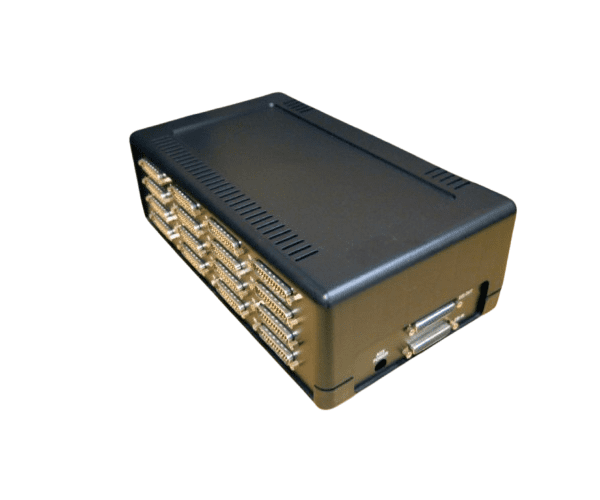
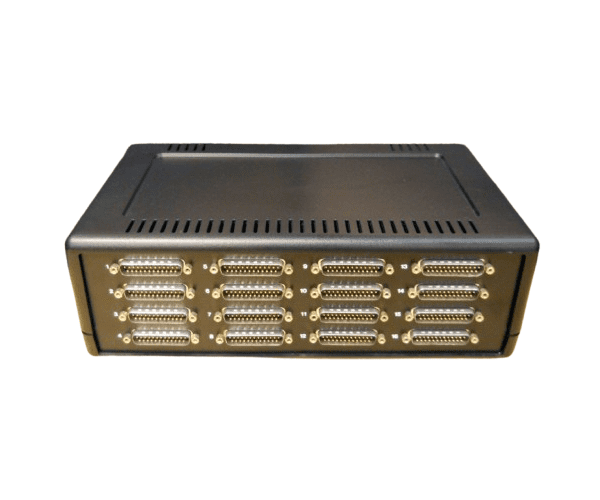
HP AD281A 16-Port RS-232 DP25 Port Module
The
HP AD281A 16-Port RS-232 DP25 Port Module is a versatile connectivity solution designed to expand your HP system’s serial communication capabilities. With 16 RS-232 ports, this module facilitates seamless and efficient data transfer for a variety of applications, ensuring reliable performance and flexibility in your network setup.
User Experience
Users of the
HP AD281A 16-Ports RS-232 DP25 Module report excellent performance in expanding serial communication capabilities. The module is praised for its reliable and stable connections, making it a popular choice for complex networking setups. Its easy integration and solid build quality enhance overall user satisfaction.
Why Choose the HP AD281A 16-Ports RS-232 DP25 Module?
The
HP AD281A 16-Ports RS-232 DP25 Ports Module is an excellent choice for anyone needing to expand their serial communication options. Its 16 RS-232 ports provide ample connectivity for multiple devices, making it ideal for both small and large-scale applications. By choosing the
HP AD281A 16-Port RS232 DP25 Module, you ensure high performance and flexibility in managing your HP system’s communication needs.
Key Features
- Expands connectivity with 16 RS-232 ports
- Uses DP25 (25-pin D-sub) connectors
- Reliable and stable serial communication
- Compact and durable design
- Easy to integrate into existing systems
- RoHS compliant for environmental safety
Installation Steps
- Power down the HP system and disconnect all cables.
- Locate the slot in your system designated for the HP AD281A 16-Ports RS-232 DP25 Module.
- Align the module with the slot, ensuring correct orientation.
- Insert the module into the slot until it is firmly seated.
- Connect the essential cables to the DP25 ports on the module.
- Power on the system and verify that the module is recognized and functioning properly through the system management interface.