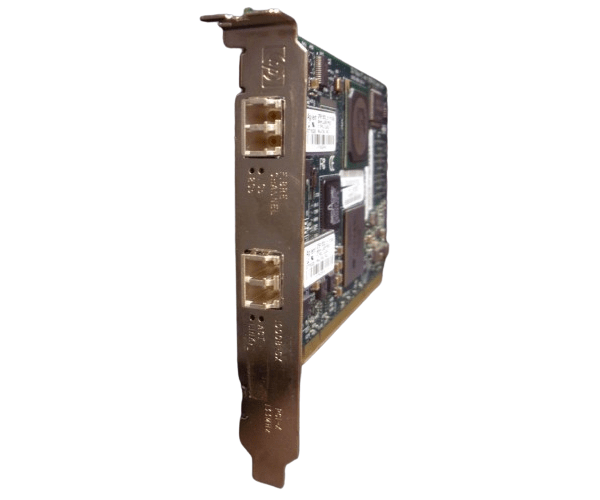
HP A9782A Adapter PCI-X 2Gb FC
The HP A9782A Adapter PCI-X 2Gb FC is a high-performance Fibre Channel adapter designed to deliver fast and reliable connectivity for HP server environments. With its 2Gb transfer rate and PCI-X interface, this adapter is perfect for enhancing your network’s speed and efficiency.
User Experience
Users of the HP A9782A Adapter PCI-X 2Gb Fibre Channel appreciate its robust performance and reliability. The adapter is known for its easy installation and stable data transfer, making it a preferred choice for enhancing HP server connectivity. The 2Gb Fibre Channel connectivity ensures efficient and fast data handling, boosting overall system performance.
Why Choose the HP A9782A Adapter PCI-X 2Gb Fibre Channel?
The
HP A9782A Adapter PCI-X 2Gb Fibre Channel is an excellent choice for those seeking a reliable and high-speed Fibre Channel solution. Its PCI-X interface and 2Gb transfer rate provide superior performance, making it ideal for demanding network environments. The HP A9782A Adapter PCI-X 2Gb Fibre Channel integrates seamlessly with HP servers, offering improved data transfer speeds and stability. Opt for the HP A9782A Adapter PCI-X 2Gb Fibre Channel to enhance your server's network capabilities.
Key Features
- 2Gb Fibre Channel: Delivers high-speed data transfer with a 2 Gbps rate.
- PCI-X Interface: Ensures compatibility with HP servers and other PCI-X devices.
- Single Port: Offers a dedicated Fibre Channel connection for efficient data handling.
- Reliable Performance: Built to handle demanding network tasks with stability.
- Easy Installation: Simplifies integration with HP servers and systems.
- Durable Design: Operates effectively within a wide range of temperatures and humidity levels.
Installation Steps
- Power Down: Turn off your HP server and disconnect it from the power source.
- Open the Case: Remove the server case to access the PCI-X slots.
- Insert the Adapter: Insert the HP A9782A Adapter PCI-X 2Gb Fibre Channel into an available PCI-X slot.
- Secure the Adapter: Fasten the adapter to the chassis with the provided screws.
- Reconnect Power: Close the server case, reconnect the power, and power on the server.
- Install Drivers: Install the necessary drivers and software for the HP A9782A Adapter PCI-X 2Gb Fibre Channel .
- Connect Cables: Attach the Fibre Channel cable to the adapter’s port and configure network settings.