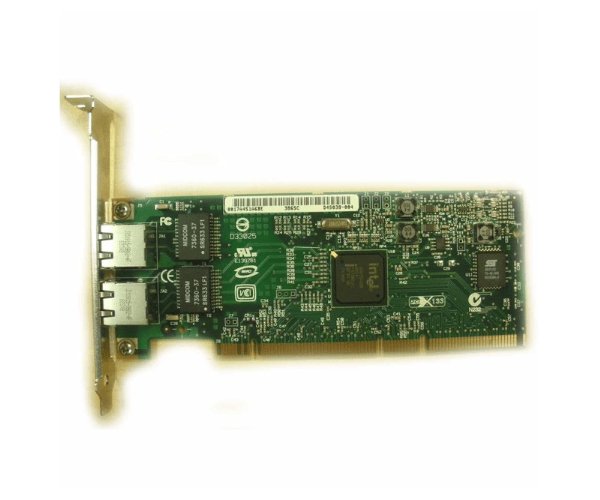
HP A7012A PCI-X 2 Port 1000Base-T Gigabit Adapter
The HP A7012A PCI-X 2 Port 1000Base-T Gigabit Adapter is a high-performance network card designed to provide fast and reliable Ethernet connectivity. With dual gigabit ports, this adapter ensures seamless network performance and efficient data transfer for your server or workstation, making it a key component in any high-speed network setup.
User Experience
The HP A7012A PCI-X Dual Port 1000Base-T Gigabit Adapter is praised for its excellent performance and reliability. Users have noted that the dual-port feature significantly enhances network efficiency and bandwidth management, making it ideal for busy networks. The adapter's installation process is straightforward, and it integrates seamlessly with various systems, providing a stable and fast connection.
Why Choose the HP A7012A PCI-X Dual Port 1000Base-T Gigabit Adapter?
Choosing the
HP A7012A PCI-X Dual Port 1000Base-T Gigabit Adapter ensures that your network benefits from high-speed, reliable connectivity. This adapter offers dual gigabit ports, which allow for efficient data transfer and network load balancing. Its PCI-X interface ensures compatibility with a range of systems, while its ease of installation makes it a practical choice for enhancing network performance in any environment.
Key Features
- Dual Gigabit Ports: Provides two 1000Base-T Ethernet connections for improved network performance.
- High-Speed Data Transfer: Supports gigabit Ethernet speeds for fast and reliable connectivity.
- PCI-X Compatibility: Fits into standard PCI-X slots for easy integration.
- Reliable Performance: Ensures stable network connections and efficient data handling.
- Simple Installation: Easy to install with a straightforward setup process.
Installation Steps
- Power Down the System: Turn off your server or workstation and disconnect it from the power source.
- Open the Case: Remove the cover or side panel from your computer or server case.
- Locate the PCI-X Slot: Find an available PCI-X slot on the motherboard.
- Insert the Adapter: Carefully align and insert the HP A7012A PCI-X Dual Port 1000Base-T Gigabit Adapter into the PCI-X slot.
- Secure the Adapter: Use screws or clips to secure the adapter to the case.
- Close the Case: Replace and secure the cover or side panel.
- Reconnect and Power On: Reconnect the power supply and turn on the system.
- Install Drivers: Follow the included instructions to install the necessary drivers for the adapter.
- Verify Connection: Check that both Ethernet ports are functioning correctly and providing the expected network performance.