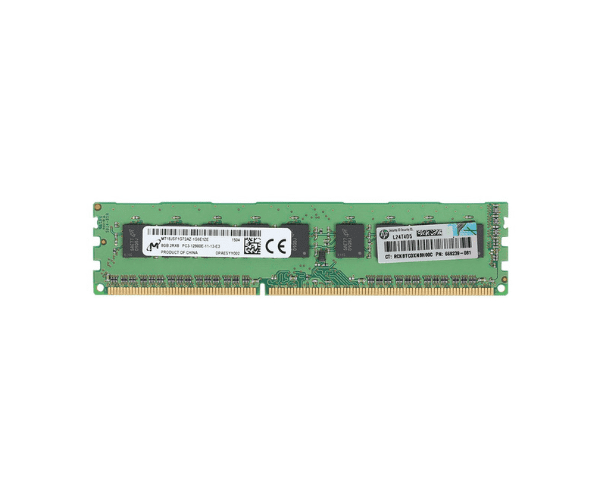
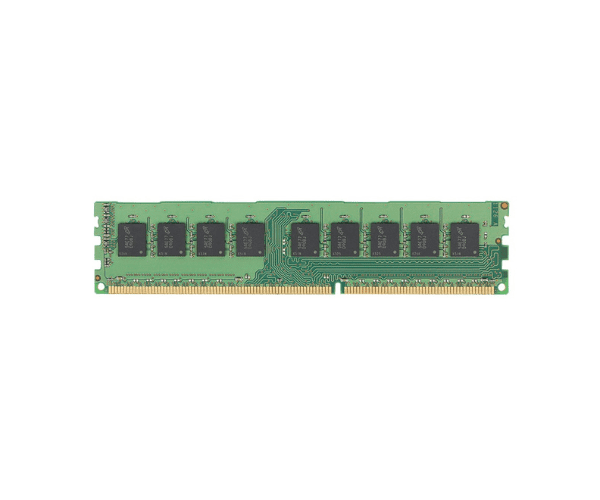
Elevate Your Server's Performance With HP 8GB 684035-001 2RX8 PC3-12800E-11 Server Memory
Introduction
Choosing reliable server memory is essential for maintaining optimal performance in business environments. The
HP 8GB 684035-001 2RX8 PC3-12800E-11 Server Memory offers a dependable solution, combining capacity, speed, and efficiency. Designed to meet the rigorous demands of servers, this memory module ensures smooth operation and improved productivity for critical applications.
Detailed Breakdown of Features
The
HP 8GB 684035-001 2RX8 PC3-12800E Server Memory excels with a data transfer rate of PC3-12800E-11, providing ample bandwidth for fast data processing and reduced latency. Featuring 8GB capacity and a 2RX8 configuration, it supports multitasking and efficient workload management. ECC (Error-Correcting Code) ensures data integrity and reliability, crucial for mission-critical applications. This memory module is optimized for energy efficiency, contributing to cost savings and sustainability.
User Experience
Users of the
HP 8GB 684035-001 2RX8 PC3-12800E Server Memory praise its impact on server performance. IT professionals report enhanced system responsiveness and stability, with minimized downtime. The memory's capacity and speed enable seamless multitasking and effective application management, ensuring reliable operation in demanding server environments.
Why Choose the HP 8GB 684035-001 2RX8 PC3-12800E Server Memory?
Choosing the
HP 8GB 684035-001 2RX8 PC3-12800E Server Memory means investing in superior performance and reliability. This memory module is designed to optimize server efficiency, making it an ideal choice for businesses seeking to enhance their IT infrastructure. Its high-speed data processing capabilities and ECC support ensure data integrity, minimizing errors and maximizing productivity.
Installation Steps
- Power Down: Ensure the server is powered off and unplugged from the power source.
- Open the Server Case: Access the memory slots by opening the server case.
- Locate Memory Slots: Identify the appropriate memory slots for installation.
- Insert the Module: Carefully insert the HP 8GB 684035-001 2RX8 PC3-12800E Server Memory into the slot, ensuring it is securely seated.
- Close the Case: Once installed, close the server case.
- Power Up: Plug in and power on the server. Check BIOS/UEFI settings to confirm the new memory is recognized.
Where It Can Be Used?
The
HP 8GB 684035-001 2RX8 PC3-12800E Server Memory is versatile and suitable for various server environments, including data centers, enterprise servers, and small to medium-sized businesses. It is particularly effective in applications requiring efficient data handling, reliability, and data integrity, such as virtualization, database management, and cloud computing.