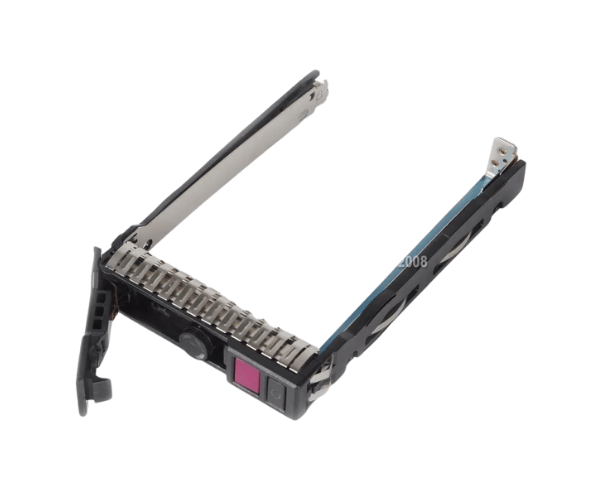
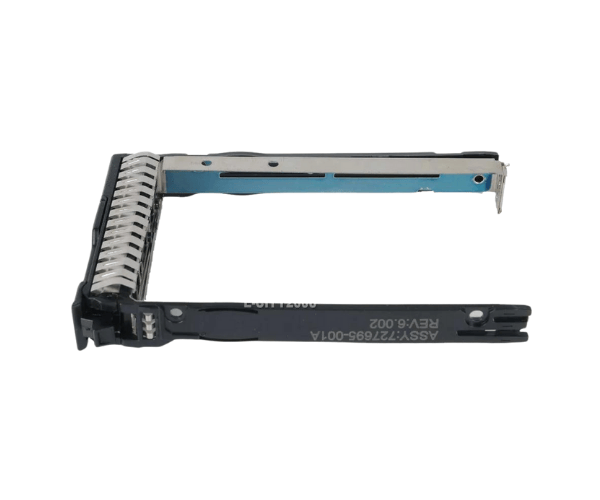
Introduction of HP 727695-001 2.5" NVMe Hard Drive Tray Caddy
The
HP 727695-001 2.5" NVMe Hard Drive Tray Caddy is an indispensable accessory for enhancing storage solutions in HP servers. Specifically designed for
DL380, DL360, and ML350 Gen10 models, this caddy facilitates the installation and management of NVMe drives. Its robust construction ensures secure housing for your drives, making it an essential component in any data center or enterprise setting.
Why Choose HP 727695-001 2.5" NVMe Hard Drive Tray Caddy?
When you choose the
HP 727695-001 2.5" NVMe HD Tray Caddy, you invest in a solution that combines efficiency and reliability. This caddy not only simplifies the process of installing NVMe drives but also enhances system performance. With its robust build, you can rest assured that your drives will be securely held in place. This adapter is particularly valuable for businesses needing fast access to data, allowing for seamless upgrades without requiring extensive hardware changes.
User Experience
Users frequently express satisfaction with the
HP 727695-001. Many commend its sturdy design, which provides peace of mind regarding drive protection. The straightforward installation process is another highlight, as even those with minimal technical skills can complete it quickly. Additionally, the enhanced data transfer speeds associated with NVMe drives significantly boost server performance, enabling businesses to manage demanding applications with greater ease.
Detailed Breakdown of Features
The
HP 727695-001 2.5" NVMe Hard Drive Tray Caddy offers a variety of features designed to enhance both functionality and user experience. First and foremost, its durable metal construction ensures longevity and resistance to wear and tear. This caddy accommodates 2.5" NVMe drives, known for their high-speed performance compared to traditional storage options. The design allows for quick installation and removal of drives, which is particularly beneficial in dynamic environments where rapid changes may occur. Additionally, the caddy's lightweight design makes it easy to handle, minimizing the effort required for installation or upgrades. With its reliable performance and user-friendly design, this caddy stands out as a top choice for enhancing your server's storage capabilities.
Installation Steps
- Power Down the Server: Before beginning the installation, ensure the server is completely powered down and unplugged.
- Access the Drive Bay: Open the drive bay where you plan to install the NVMe drive. Release any locking mechanisms as needed.
- Insert the NVMe Drive into the Caddy: Align the NVMe drive with the connectors in the caddy and gently push it until it is firmly attached.
- Insert the Caddy into the Drive Bay: Slide the caddy into the drive bay until it clicks securely into place.
- Secure the Drive Bay: Lock any mechanisms in place to ensure the caddy and drive are securely fastened.
- Power On the Server: Reconnect the power supply and turn on the server. The system should automatically detect the new NVMe drive.
Where It Can Be Used?
The
HP 727695-001 2.5" NVMe HD Tray Caddy is ideal for various applications, including data centers, enterprise IT setups, and cloud computing environments. It fits perfectly in server configurations that require fast storage solutions, such as application hosting, database management, and data backup operations. This caddy allows businesses to adapt quickly to evolving storage needs, making it an invaluable addition to any IT infrastructure.



-70x60h.png "2.5″ Swap HDD Tray Caddy Bracket for POWEREDGE T440 T640 SAS SATA")


