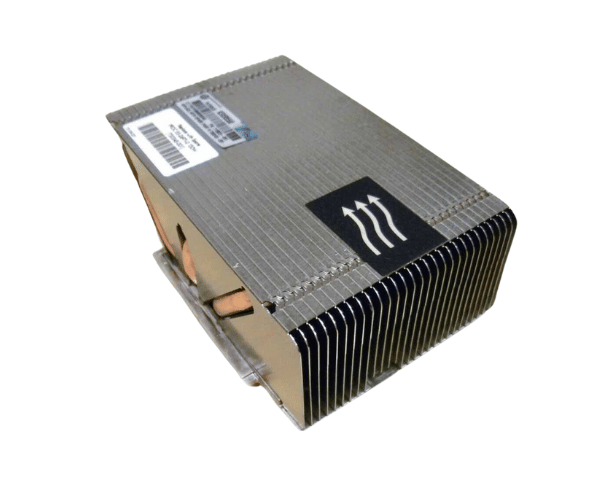
HP 662522-001 Heatsink for DL380p Gen8
The
HP 662522-001 Heatsink for DL380p Gen8 is a critical component designed to maintain optimal temperature levels in your server. Engineered specifically for the HP DL380p Gen8 server, this heatsink ensures efficient heat dissipation, contributing to the overall stability and performance of your system. The
HP 662522-001 Heatsink for DL380p Gen8 is a reliable choice for any high-performance server environment.
User Experience
Users of the
HP 662522-001 Heatsink have reported a significant improvement in their server's cooling efficiency. The heatsink's robust design ensures that even under heavy workloads, the server maintains a stable temperature, reducing the risk of overheating. Installation is straightforward, thanks to its precise fit and secure mounting mechanism. This component plays a crucial role in prolonging the lifespan of the server’s processor by keeping it cool and stable.
Why Choose the HP 662522-001 Heatsink for DL380p Gen8?
The
HP 662522-001 Heatsink Gen8 is the ideal cooling solution for your HP server. Its design is tailored to meet the specific needs of this server model, ensuring maximum cooling efficiency. By choosing the
HP 662522-001 Heatsinks for DL380p Gen8, you are investing in a component that not only enhances your server’s performance but also extends the life of its processor. This heatsink is essential for maintaining a high-performance server environment.
Key Features
- Custom Fit: Specifically designed for the HP DL380p Gen8 server, ensuring a perfect fit.
- High Efficiency: Provides optimal heat dissipation, keeping your server cool under heavy loads.
- Durable Construction: Made from high-grade aluminum for long-lasting reliability.
- Easy Installation: Features a secure screw and clip mount for quick and easy installation.
- Enhanced Stability: Helps prevent overheating, ensuring consistent server performance.
Installation Steps
- Power Down the Server: Safely shut down your HP DL380p Gen8 server and disconnect the power supply.
- Access the Server Internals: Open the server chassis to gain access to the processor area.
- Remove the Existing Heatsink: Gently remove the old heatsink by releasing the screws and clips.
- Clean the Processor Surface: Use a lint-free cloth to remove any residual thermal paste from the processor.
- Apply New Thermal Paste: If needed, apply a fresh layer of thermal paste to the processor surface.
- Install the new heatsinks: Align the HP 662522-001 heat sink for DL380p Gen8 over the processor and secure it in place using the screws and clips.
- Verify Installation: Ensure the heatsink is securely mounted and seated correctly on the processor.
- Close the server chassis. Replace and secure the chassis cover.
- Reconnect Power and Boot Up: Reconnect the power supply and turn on the server.
- Monitor temperatures: Check the server’s temperature readings to confirm proper heatsink operation.