Introduction
The
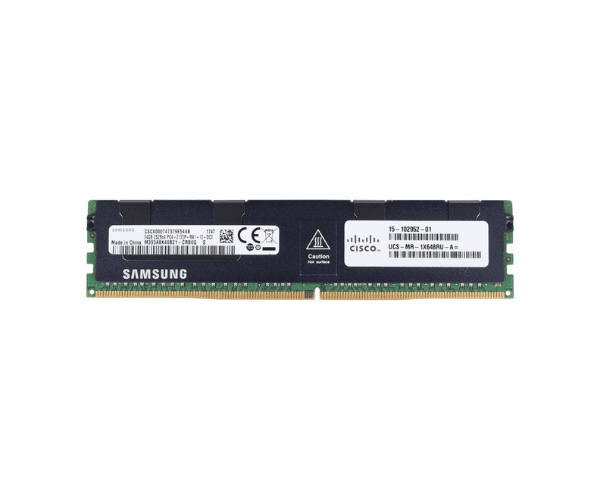
Cisco 64GB P00930-B21 DDR4 2933MHz sets a new standard in server performance and reliability. Designed for high-capacity and high-speed data processing, this memory module is ideal for businesses seeking to optimize their server infrastructure.
Detailed Breakdown of Features
The
Cisco 64GB Server Memory offers exceptional performance capabilities tailored for modern server environments. Operating at 2933MHz, it delivers fast data processing speeds, ensuring efficient multitasking and application responsiveness. With a massive 64GB capacity, it supports intensive workloads and large-scale virtualization, enhancing overall system performance. The 2Rx4 configuration enhances data transfer rates and reliability, while DDR4 technology ensures energy efficiency and reduced power consumption. This module also incorporates ECC (Error-Correcting Code) for error detection and correction, maintaining data integrity and system stability.
User Experience
Users of the
Cisco 64GB Server Memory rave about its transformative impact on server operations. The increased memory capacity and high-speed performance result in faster data processing, reduced latency, and smoother operation of critical applications. Businesses benefit from improved efficiency and reliability, making this memory module a crucial component for mission-critical server environments.
Why Choose the Cisco 64GB P00930-B21 DDR4 2933MHz (PC4-23400Y-R) 2Rx4 Server Memory?
Choosing the
Cisco 64GB Server Memory ensures your business stays ahead with top-tier server performance. This product offers unmatched capacity, speed, and reliability, making it an ideal choice for organizations handling large datasets, virtualization, and demanding applications. Its energy-efficient design and ECC capabilities provide peace of mind, safeguarding against data errors and ensuring uninterrupted server operations.
Installation Steps
- Power down the server and disconnect from the power source.
- Open the server case to access the memory slots.
- Identify an available memory slot or remove an existing module if upgrading.
- Align the Cisco 64GB Server Memory with the slot, ensuring the notch matches the key.
- Gently press the module into the slot until it is fully seated.
- Close the server case and reconnect the power source.
- Power on the server and verify the new memory is detected in the BIOS.
Where It Can Be Used
The
Cisco 64GB Server Memory is suitable for deployment in a variety of server environments, including data centers, enterprise servers, and virtualized infrastructures. Its high capacity and speed make it ideal for handling complex workloads and critical applications with ease.