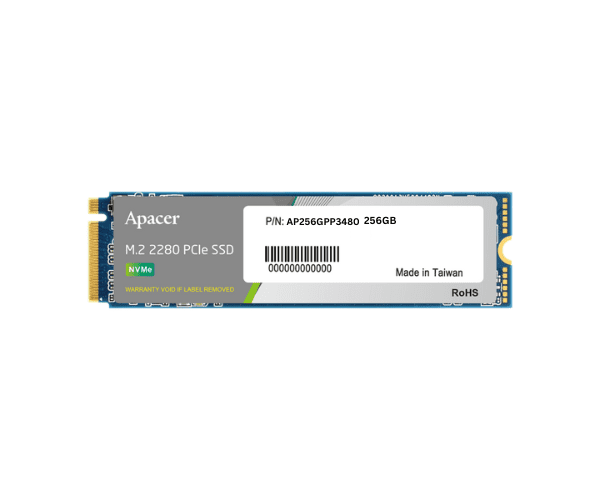
About the Apacer NVMe AP256GPP3480-R 256GB NAS PP3480-R AS71
The Apacer NVMe AP256GPP3480-R 256GB NAS PP3480-R AS71 offers high-speed performance and reliability for NAS systems. With 256GB capacity, it enhances data transfer and storage efficiency.
Specification
| Feature |
Description |
| Capacity |
256GB |
| Type |
NVMe M.2 SSD |
| Model Number |
AP256GPP3480-R |
| Interface |
PCIe Gen3 x4 |
| Sequential Read Speed |
Up to 2,500 MB/s |
| Sequential Write Speed |
Up to 1,500 MB/s |
| Form Factor |
M.2 2280 |
| Endurance |
150 TBW |
Description
The Apacer AP256GPP3480-R 256GB NAS PP3480-R AS71 M.2 SSD is designed to deliver reliable and swift performance for NAS systems. With a capacity of 256GB, this SSD supports fast data transfers with read speeds up to 2,500 MB/s and write speeds up to 1,500 MB/s. The M.2 2280 form factor ensures broad compatibility with various NAS devices. It has a high endurance rating of 150 TBW, making it suitable for handling demanding data tasks and enhancing overall NAS system performance.
User Experience
Users find the Apacer AP256GPP3480-R 256GB NAS PP3480-R SSD highly efficient for improving NAS system performance. Its fast speeds and dependable durability are appreciated for daily data management.
Installation Steps
- Power Down the NAS: Ensure the NAS is turned off and unplugged from the power source.
- Open the NAS Enclosure: Access the internal components by removing the cover or panel.
- Locate the M.2 Slot: Identify the M.2 2280 slot inside your NAS.
- Install the SSD: Slide the Apacer AP256GPP3480-R SSD into the M.2 slot and secure it with the provided mounting screw.
- Reassemble the Enclosure: Replace the cover or panel and reconnect the power.