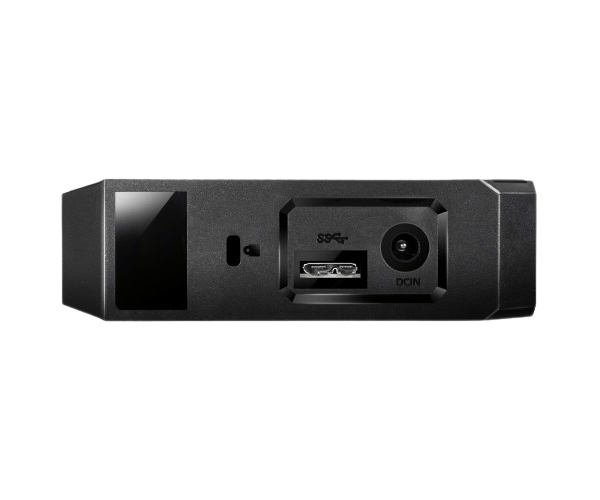
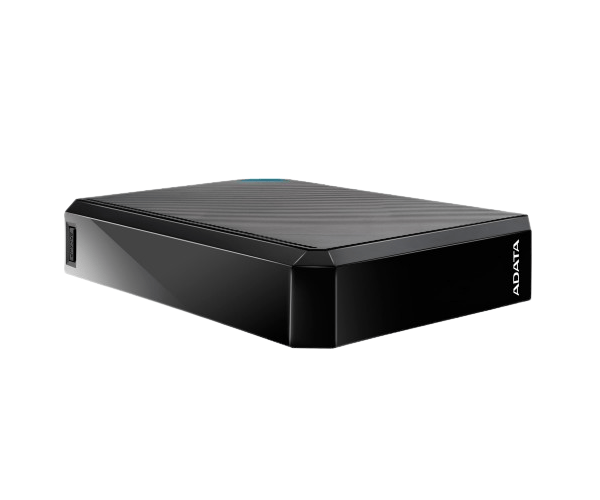
About of ADATA 8 TB HM800 3.5 External Hard Drive
The ADATA 8TB HM800 3.5 External Hard Drive offers large storage capacity, fast data transfer, and reliable performance. Ideal for backing up data, media storage, or as a secondary drive, it combines durability with ease of use, making it perfect for everyday use.
Specification
| Feature |
Details |
| Model |
HM800 |
| Capacity |
8TB |
| Interface |
USB 3.2 Gen1 (backward compatible with USB 2.0) |
| Type |
External HDD |
| Form Factor |
3.5-inch |
| Connectivity |
USB 3.0, USB 2.0 |
| Transfer Speed |
Up to 5Gbps |
| Compatible Devices |
Windows, macOS, Linux |
| Dimensions (L x W x H) |
180 x 118 x 45 mm |
| Weight |
1.1 kg |
| Color |
Black |
Description
ADATA 8-TB HM800 3.5 External Hard Drive in BD
The ADATA 8TB HM800 3.5 External Hard Drive is one of those devices that will work wonders for users wanting enormous space to store documents, photos, videos and games. Coming equipped with a huge 8TB capacity, it promises fast and efficient data transfers via USB 3.0, making the gadget very suitable for both personal and professional purposes.
User Experience
The ADATA 8 TB HM800 3.5 External Hard Drive is a very easy device to use. It is pretty easy to set up, requiring only plugging the drive into the USB port. The 8TB of storage should be more than enough for the majority of users, and with fast transfer speeds, copying files is quick. No delays or lag with transferring big files, and it kept cool during use. Sleek and durable in design, it's functional with style. In general, the ADATA 8TB HM800 strikes an amazing balance of great value and excellent performance.
Why Choose the ADATA 8TB HM800 3.5 External HDD?
- Large capacity: It boasts up to 8TB of capacity to suit the needs of heavy users, media professionals, and gamers.
- Fast transfers: USB 3.0 ensures that the transfer is fast, hence less waiting and more productivity.
- Strong build quality: The hard drive is durable to withstand bumps and drops with ease.
- Compatibility: Compatible with both Windows and macOS, it supports Linux operating systems.
- User-friendly: plug-and-play; easy to set up.
Installation Steps:
- Unbox the ADATA 8TB HM800 3.5 External HDD.
- Connect the hard drive to your computer using the provided USB cable.
- Wait for the device to be detected and installed by your operating system.
- Once the drive appears, you can begin transferring files.
- Start using the ADATA 8TB HM800 as your additional storage or backup drive.
What is the Price of the ADATA 8TB HM800 3.5 External Hard Drive in Bangladesh?
The latest price of
ADATA 8TB HM800 3.5 External Hard Drive in Bangladesh depends on quantity.
Crystal Vision Solutions ensure This product has the best market price in Bangladesh. Our product is 100% original and lowest price in Bangladesh. All kinds of services are the best in Bangladesh, and contact us for any information and latest price.