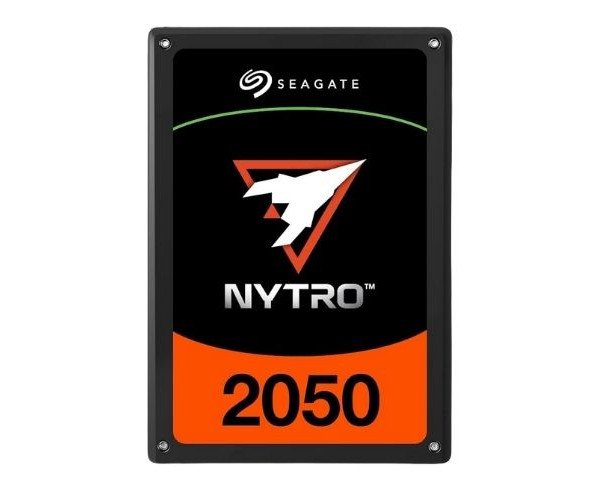
About the Seagate Nytro 2050 XS1920LE70115 1.9 TB Enterprise SSD
The Seagate Nytro 2050 XS1920LE70115 1.9TB Enterprise SSD is a fast, durable, and efficient storage drive designed for servers and data centers. It delivers excellent performance, low latency, and long-term reliability for demanding enterprise workloads.
Seagate Nytro 2050 XS1920LE70115 1.9TB Enterprise SSD in BD
Seagate Nytro 2050 XS1920LE70115 1.9TB Enterprise Solid State Drive offers speed, reliability, and capacity options to their business customers. Built with a 12Gb/s SAS interface, which provides solid endurance for exploding transaction workloads, enables this SSD to handle massive amounts of data, 24 by 7, in high-traffic server environments and for enterprise-grade IT systems.
User Experience
Users installing the Seagate Nytro 2050 XS1920LE70115 1.9 TB Enterprise SSD have praised its speed and stability. It boots the system quickly, minimizes delays on applications, and operates much cooler than standard drives. During server tests, it performed well, not dropping much in performance even under heavy multitasking. It is simple to install and works seamlessly in RAID configuration. Many IT teams trust it for storing business-critical data. Whether for virtual machines or database servers, each day the SSD delivers reliable speedy performance.
Why Choose the Seagate Nytro 2050 XS1920LE70115 1.9TB Enterprise SSD?
Investing in speed, durability, and performance is what choosing the
Seagate Nytro 2050 XS1920LE70115 1.9TB Enterprise SSD entails. It is specifically built for enterprise needs, presenting low power consumption, steady performance, and long lifespan. This SSD is armed with strong SAS 12Gb/s interface and up to 3.5 DWPD endurance to back-up business-critical workloads. The
Seagate Nytro XS1920LE70115 1.9TB Enterprise SSD emerges as the smartest choice for any organization requiring a dependable data performance engine for 24 hours, seven days a week: this isn't just a fast SSD. It is a long-lasting one. With
Seagate Nytro XS1920LE70115 1.9TB Enterprise SSD in hand, your data-dependent workflows get streamlined and secure, promising performance and value for money.
Installation Steps
- Power Down - Turn off the system and unplug the power cable.
- Open the Chassis - Open the server or system case with the help of a screwdriver or a quick-release latch.
- Locate the Drive Bay - Look for a vacant 2.5-inch SAS-compatible drive bay.
- Insert SSD - Slide in from the back of the Seagate Nytro 2050 XS1920LE70115 until it seats firmly.
- Secure the Drive - Fix the SSD with screws or bay locks.
- Connect the SAS Cable - Connect the SAS interface cable, ensuring it has fully seated.
- Power Up - Plug in the power cable and boot up the system.
- Format & Initialization - In the OS, go to Disk Management (Windows/Linux) to format and initialize the SSD for use.