About the Intel Optane SSDPE21K015TA01 P4800X 1.5 TB 2.5'' PCIe x4 SSD
The Intel Optane SSDPE21K015TA01 P4800X 1.5TB 2.5'' PCIe x4 SSD offers high performance and reliability. It’s designed for professionals and gamers who need ultra-fast storage for demanding workloads and large data transfers, ensuring superior speed and low latency.
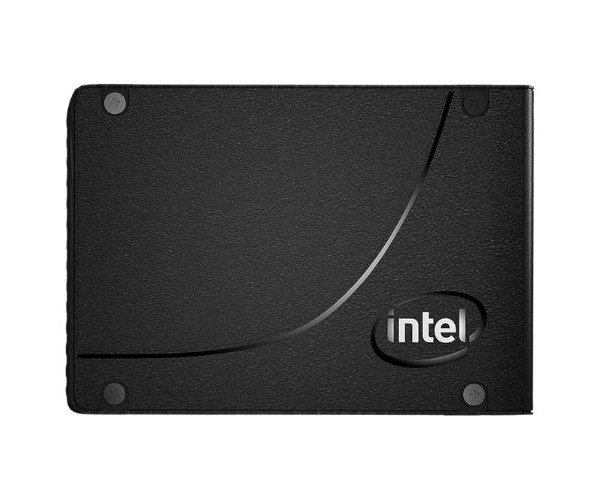
Intel Optane SSDPE21K015TA01 P4800X 1.5TB 2.5'' PCIe x4 SSD in BB
Intel Optane SSDPE21K015TA01 P4800X 1.5TB 2.5'' PCIe x4 SSD is a high-speed, low-latency, and highly durable 1.5TB, 2.5'', PCIe x4 Solid State Drive. With architected Intel's unique 3D XPoint technology, the P4800X boasts incredible read and write speeds. It is capable of improving the performance of your system for the most demanding tasks-a gamer or a data professional will appreciate it.
User Experience
Intel Optane SSDPE21K015TA01 P4800X 1 5TB 2.5'' PCIe x4 SSD has shown very good performance results for users. With read speeds of 2400 MB/s, and write speeds not far behind at 2000 MB/s, the upgrading of Daily routines-such as booting the operating system, loading applications, transferring large files-is suddenly many times faster. Reliability should still be assured due to 3D XPoint technology of this SSD in high workloads, up to an endurance rating of 9.3 TB writes, thus making it ready for most users' long-term use. Furthermore, with a compact 2.5-inch form factor, it fits into nearly all systems and makes the installation easy. Most well-known with regard to power loss protection, it ensures data safety when there are unexpected power shutdowns.
Why Choose the Intel Optane SSDPE21K015TA01 P4800X 1.5TB 2.5'' PCIe x4 SSD?
Ideal for users in need of performance, durability, and reliability, the
Intel Optane SSDPE21K015TA01 P4800X 1.5TB 2.5'' PCIe x4 SSD offers fast sequential reads/writes to boost system performance within intensive workflows. It is rated for high endurance of up to 9.3 TBW per write/erase cycle, with power loss protection ensuring further data safety. Its PCIe x4 interface lends itself to a very high bandwidth, making it the right choice in gaming, professional applications, and storage-heavy assignments. The
Intel Optane P4800X 1.5TB 2.5'' PCIe x4 SSD delivers immense performance and value.
Installation Steps
- Power Your System Off - Shut down the PC or server and unplug from the electric supply to avoid any unfortunate electrical incidents.
- Open the System Case - Pull the side panel off your computer/server to reach its internal components.
- Locate the PCIe Slot - Locate an available PCIe x4 slot on your motherboard where the Intel Optane P4800X 1.5TB 2.5'' PCIe x4 SSD will be plugged in.
- Insert the SSD - Carefully insert the Intel Optane SSD into the PCIe x4 slot and ensure it is properly seated.
- Put the System Back Together - Close the case and connect the power cables.
- Power On - Start the system and boot to the BIOS/UEFI for configuring the SSD if requested.
- Install the drivers - When needed, install the relevant drivers available on Intel’s official website to obtain optimal performance.
- Format the SSD – Format the drive through your system's disk management tool to begin using it.



-70x60h.png "Intel 1.92TB S4520 SATA SSD (SSDSC2KB019TZ01)")


