
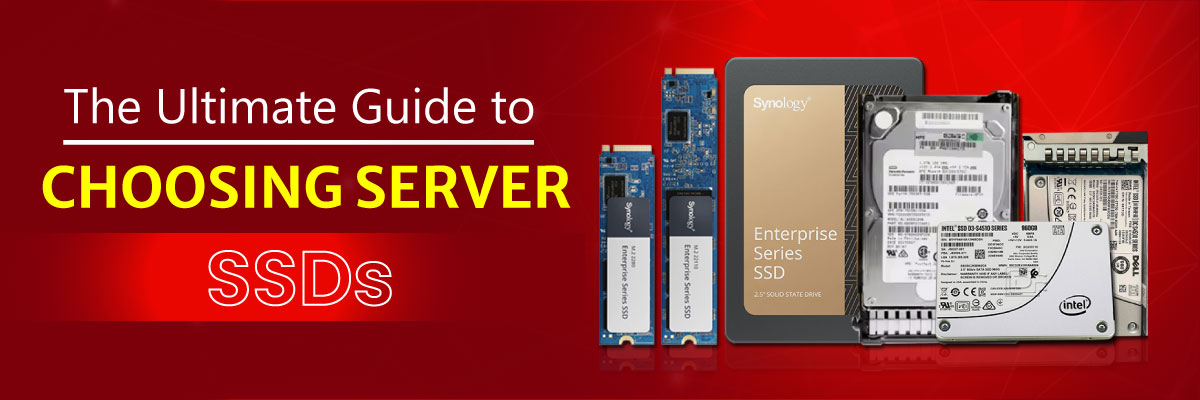
What is a Server SSD and Why Is It Important?
A server SSD is a high-performance storage device designed for continuous workloads and enterprise applications. Unlike consumer SSDs, server-grade drives are optimized for:
- 24/7 reliability in mission-critical environments
- Higher endurance for write-intensive applications
- Better compatibility with RAID and enterprise servers
Server SSDs are crucial for:
- Reducing downtime in banking, e-commerce, and telecom sectors
- Powering virtualization and cloud hosting platforms
- Handling big data analytics and AI workloads
Types of Server SSDs
Choosing the right type of SSD depends on your server’s workload and compatibility.
SATA SSD
- Entry-level option for servers
- Affordable, widely compatible with older servers
- Good balance of cost and performance
SAS SSDs
- Enterprise-grade, designed for reliability
- Supports dual-port connectivity for failover
- Ideal for mission-critical storage arrays
NVMe SSDs
- Uses PCIe interface for ultra-fast speeds
- Perfect for AI, database acceleration, and high IOPS workloads
- Lower latency compared to SATA/SAS
M.2 and U.2 SSDs
- Compact form factors for rack servers
- M.2 mostly for caching, U.2 for enterprise storage bays
Tip: Always check server model compatibility. For example, SSD for server Dell PowerEdge may require U.2 NVMe drives, while HP ProLiant might support SAS or SATA bays.
Key Features and Specifications to Consider
- RAID 0: High speed but no redundancy
- RAID 5/6: Balance of speed and fault tolerance
- RAID 10: Best for enterprise workloads requiring speed + redundancy
- DRAM cache improves sustained performance
- Write speeds vary: 500 MB/s (SATA) → 7,000 MB/s (PCIe Gen4 NVMe)
- Server SSDs are rated by Terabytes Written (TBW) and Drive Writes Per Day (DWPD)
- Higher TBW = longer endurance, essential for write-heavy databases
- IOPS (Input/Output Operations Per Second) is a critical metric
- NVMe SSDs deliver millions of IOPS, far beyond HDDs
Server SSDs vs HDDs: Which One to Choose?
| Feature | HDD | SSD (Server) |
| Speed | 100-200 MB/s | Up to 7,000 MB/s (NVMe PCIe 4.0) |
| Durability | Mechanical failure risk | No moving Parts, shock-proof |
| Lifespan | Moderate (3-5 years) | High (5-10 years, with wear leveling) |
| Price | Lower | Higher but falling in 2025 |
| Best Use Case | Archival & bulk storage | Mission-critical workloads |
Popular Brands and Server Compatibility
A quick reference for selecting the right SSD brand for your server infrastructure.
- Synology: Native compatibility for Synology DiskStation/RackStation
- Dell EMC: Optimized for Dell PowerEdge rack/tower servers
- Cisco: Engineered for Cisco UCS server integration
- Dell: Reliable performance in Dell PowerEdge systems
- HPE: Trusted choice for HPE ProLiant and Synergy servers
- SK Hynix: High-quality OEM choice for major server brands
- IBM: Compatible with IBM/Lenovo server systems
- Intel: Enterprise-grade SSDs with long warranties
- Kingston: Value-driven reliability with global support
- Lenovo: Optimized for Lenovo ThinkSystem servers
- Samsung: Known for exceptional endurance and speed
- SanDisk: Legacy of flash expertise for enterprise use
- Micron: Budget-friendly enterprise-grade solutions
- SouDIGM: Competitive emerging brand for custom builds
- Huawei: Designed for native use in Huawei servers
- Oracle → Exclusively engineered for Oracle Sun systems
- Western Digital → High-performance and reliable drives
- Seagate → Enterprise speed and NAS-optimized endurance
- Toshiba → Robust solutions with innovative NAND technology
Server SSD Price in Bangladesh (2025)
The server SSD price in Bangladesh depends on capacity, interface, and brand.
- 1TB SATA SSD → BDT 12,000 – 15,000
- 1TB NVMe SSD (Enterprise) → BDT 20,000 – 28,000
- 2TB NVMe SSD → BDT 35,000 – 45,000
- 4TB & above Enterprise SSDs → BDT 60,000+
Price trends show NVMe SSDs becoming more affordable in 2025, making them accessible for small to medium businesses.
Installation, Maintenance & Best Practices
Installation:
- For Dell/HP servers, follow vendor guides for SSD slots (SATA/SAS/NVMe bays).
- Update firmware before deploying in production.
Maintenance:
- Enable SMART monitoring tools
- Regularly check health status & wear levels
- Use SSDs in RAID arrays for redundancy
Troubleshooting:
- If SSD is not detected: Check BIOS settings and firmware
- Slow performance: Update drivers or reconfigure cache settings
Future Trends in Server SSDs
PCIe 6.0 SSDs
- Double the bandwidth of PCIe 5.0
- Expected in enterprise servers by late 2025
AI-Enhanced Storage
- AI-driven caching and wear-leveling algorithms
- Predictive failure detection for reduced downtime
Storage-Class Memory (SCM)
- Bridging the gap between DRAM and SSD
- Ultra-low latency for next-gen databases
For businesses and data centers in Bangladesh, server SSDs are no longer optional—they are a necessity. With better performance, longer lifespan, and improved pricing in 2025, upgrading to enterprise SSDs is the smartest choice.
Whether you need an SSD for server Dell PowerEdge, HP ProLiant, or Lenovo ThinkSystem, always check compatibility, choose RAID wisely, and invest in reliable brands.
Final Recommendation:
- For startups, go with 1TB–2TB SATA or NVMe SSDs.
- For large enterprises, invest in NVMe U.2/PCIe SSD arrays with RAID 10 for maximum performance and redundancy.
Leave a Comment