
Why Smart NAS Choices Matter Now for Growing Bangladesh Teams
Across Dhaka, Chattogram, and other busy cities, teams are creating more data every single day. Design files, ERP records, CCTV video, emails, backups, shared folders, and app data all keep growing. At first, it might sit on a few PCs or a simple file server. That works for a while. Then one day, a drive fails, a PC goes missing, or a folder goes corrupt, and everyone scrambles.
By that time, the damage is already done.
For many Bangladesh businesses, May and June are planning months. New budgets are being set, projects are being reviewed, and IT teams are getting ready for the rainy season and possible power issues. It is a natural time to rethink storage and data protection before the storms, the long holidays, and the next cycle of growth.
That is where enterprise NAS storage comes in. Instead of files being spread across random PCs and USB drives, NAS gives you a central, shared, and resilient platform. Teams in head office, branches, and even remote staff can all reach the same data, with the right access rights, without needing a huge data center or a big IT department. When done right, it feels simple for users and controlled for IT.
Understanding Enterprise NAS Storage in Plain Business Terms
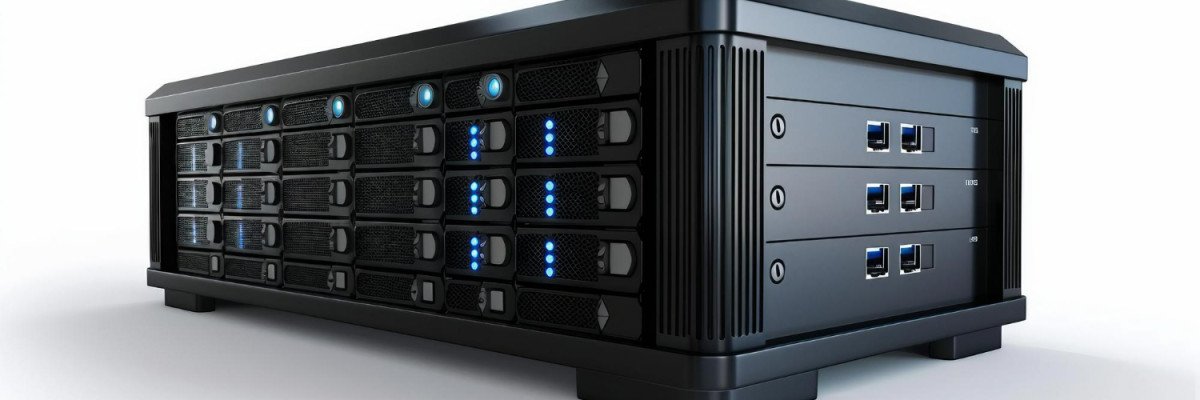
Think of NAS as a smart file cabinet that sits on your network. It is not a PC, and it is not just an external drive. It is a special storage appliance, designed for always-on work. Your staff can connect to it from Windows, macOS, and Linux, and see shared folders that live there, not on their own PCs.
With enterprise NAS storage, you can:
- Create shared folders for different teams
- Control who can see, edit, or delete files
- Centralize backups instead of backing up each PC separately
- Keep data online for apps, virtual machines, and some databases
This is very different from a simple USB drive or a basic home NAS box. A business NAS is built with multiple drives, RAID for redundancy, stronger hardware, better file systems, and features that link with your existing domain or Active Directory. Many models can also run VMs or support applications directly on the NAS.
For Bangladesh organizations, common uses include secure project shares, long-term CCTV storage, archiving accounts and tax records, keeping HR and ERP files in one place, and serving as a bridge between head office and branch offices that sync overnight.
Key Technical Factors Bangladesh IT Teams Should Compare Before Buying
Before choosing a system, IT teams should slow down and think in terms of at least three to five years, not only what is needed right now.
First, performance and capacity. Look at:
- Number of drive bays and maximum raw capacity
- RAID options, such as RAID 5, 6, 10, and beyond
- Expected IOPS and throughput for your workloads
- Network port speeds like 1 GbE, 2.5 GbE, and 10 GbE
The goal is to size storage that covers growth and new projects but still leaves room to add more drives or faster network links later, instead of overbuilding everything on day one.
Next, think about data protection and uptime. For many local offices, power or AC issues are a reality. Features like hot swappable drives, RAID redundancy, snapshots, and replication matter when a disk fails or someone deletes a key folder by mistake. Integration with backup software helps you keep second and third copies of data, on other NAS units or in the cloud.
Finally, check integration. Your NAS should fit into your current world. That might mean:
- Joining Windows domains for single sign on
- Serving NFS or iSCSI to Linux or virtualization hosts
- Accepting CCTV NVR streams for video retention
- Syncing with popular cloud storage for hybrid workflows
The smoother the fit, the less stress on your IT team and users.
Designing NAS for Bangladesh Conditions: Power, Heat, and Connectivity
Good hardware alone is not enough if you ignore local conditions.
Power stability is a big factor. Frequent power cuts and voltage swings can shorten hardware life and risk data loss. Pairing NAS with a UPS and surge protection lets the system shut down gracefully during longer outages and ride through short ones. Many enterprise NAS units can talk to the UPS, monitor battery level, and shut themselves down safely when needed.
Heat, dust, and humidity also put stress on drives and controllers. Even in an office with AC, gear locked in a small room with poor airflow can overheat. Good practice includes:
- Keeping NAS in a clean, ventilated room
- Leaving space around the unit for airflow
- Monitoring temperature alerts from the NAS interface
- Checking fans and filters on a regular schedule
Network reality is the third piece. In many buildings, bandwidth is shared between users, CCTV, and servers. You can improve things by using link aggregation on multiple ports, applying QoS rules so important apps get priority, and separating CCTV traffic from normal office traffic with VLANs. For branches connected over slow links, scheduled or block level replication at night or off peak hours helps keep data in sync without choking daytime work.
Matching NAS Choices to Real-World Use Cases in Bangladesh Organizations
Not every organization needs the same kind of NAS. The right design depends on how your teams work and what must always stay online.
Small and mid sized businesses, like accounting firms, trading houses, or creative agencies, usually want simple, central file storage that just works. Shared folders with access control, user quotas to prevent a few people from filling everything, and an easy backup routine can already be a huge upgrade over scattered PC drives and ad hoc USB copies.
Larger enterprises and institutions often go further. They may want NAS clusters with high availability, multiple 10 GbE links to core switches, and storage that feeds virtualization platforms that run ERP, HR, and internal apps. Surveillance needs can mean tiered storage, where recent CCTV footage stays on faster disks and older footage moves to larger, slower drives in the same or another NAS.
Different sectors also have their own patterns:
- Garments and manufacturing: heavy CCTV recording, design files, machine logs
- Education: digital course content, LMS backups, research data, computer labs
- Healthcare: sensitive medical records, imaging exports, long retention requirements
For each case, planning how data flows, who needs access, and how long records must stay online helps decide on the right NAS class, drive type, RAID level, and network design.
How Crystal Vision Solutions Can Help You Build a Future-Ready NAS Strategy
At Crystal Vision Solutions, we spend our days working with Bangladesh teams facing these exact questions. We understand the mix of growing data, limited rack space, mixed networks, and real concerns about power, cooling, and uptime. Our engineers help match enterprise NAS storage models, drive choices, and network layouts to your actual workloads, not just a spec sheet.
We can review your current servers and storage, look at file shares, CCTV needs, and virtual machines, and then design a path that fits your budget cycle and upgrade plans. With proper planning, installation, data migration, and ongoing support, your NAS can become a stable base for growth instead of another point of risk or confusion.
Get Secure, Scalable Storage That Grows With Your Business
If you are ready to streamline data management and protect critical information, explore our enterprise NAS storage options tailored to your needs. At Crystal Vision Solutions, we help you choose the right configuration so your storage can grow without disrupting daily operations. When you are ready to plan your next step or need expert guidance, contact us and our team will walk you through the best solution for your environment.
Leave a Comment