
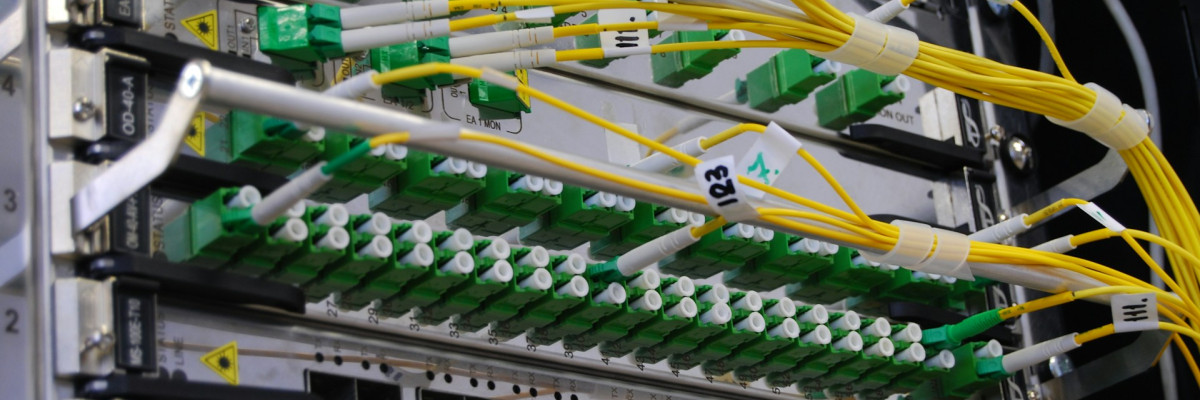
Networks in Bangladesh often look fine on paper but fail in real life. Links flap, cameras reset, Wi-Fi drops, and no one is sure if the problem is cable, power, optics, or the switch itself. Most of the time, the root cause is not “bad hardware,” it is hidden compatibility issues that were not checked before buying.
This is especially true when different teams buy switches, SFP modules, access points, and cameras from many brands just to match a tender or chase discounts. Everything arrives, racks get wired, then links refuse to come up or devices keep rebooting. The result is lost time, rework at night, and a second round of emergency purchases. We want to help you avoid that headache by focusing on three big traps: SFP and SFP+, PoE, and fiber.
Stop Wasting IT Budgets on “Almost Compatible” Gear
A common story goes like this: one supplier provides switches, another sends SFPs, a third delivers IP cameras and access points. On the surface, all the part numbers look “similar enough.” After installation, some links stay at 1G when 10G was expected, a few cameras drop off during the day, and newly pulled fiber fails when patched to older panels.
Those hidden mismatches can:
- Slow down projects and delay go-live dates
- Force your team to work late hours chasing random issues
- Push you into unplanned repeat orders and air shipments
There is good news. With a bit of planning, most of these problems can be stopped before the purchase order is signed. Our goal is to give IT managers, system integrators, and procurement teams a simple way to check compatibility so the next round of networking equipment in Bangladesh works the way it should from day one.
Understanding SFP and SFP+ Before Your Next Switch Upgrade
SFP and SFP+ modules look almost the same, but they are not. SFP is usually used for 1G links. SFP+ is for 10G and higher. Many projects mix them by accident or expect a 1G optic to magically run at 10G just because the switch port is “10G capable.”
A few key points to remember:
- SFP modules are typically 1G; SFP+ modules are typically 10G
- A 10G port can often run at 1G, but only with the right module
- Not all switches accept every third-party optic
Brand and model lock-in is another quiet trap. Many switches support only certain optics and specific “compatible” codes. Generic modules may link up, but then you see:
- Random link drops under heavy load
- CRC errors and packet loss without a clear pattern
- Ports that fail only at certain temperatures or during long uptime
Distance and wavelength also matter. A 10 km optic on a 40 km fiber run will not become “stronger” just because you hope it will. Mixing 850 nm modules meant for short multimode runs with 1310 nm single-mode fiber leads to unstable or no link. BiDi optics require matching pairs, and duplex optics need proper Tx/Rx alignment across cities like Dhaka, Chattogram, and Sylhet.
PoE Budgets That Work in Real Bangladesh Conditions
On paper, a PoE switch might show “30 W per port.” That does not mean you can power every port at 30 W at the same time. Most devices have a total PoE budget that is less than the sum of all ports at full rating.
The gap between nameplate and real power grows in our local conditions. High heat, aging power supplies, and unstable grid power can reduce usable output. When you mix device types without careful planning, small issues build up:
- IP cameras pull more power at night when IR is active
- Wi-Fi 6 access points draw spikes during heavy traffic
- Door controllers and VoIP phones add constant background load
If you connect PoE, PoE+, and PoE++ devices at random, the switch may:
- Refuse to power some ports
- Drop power to one device when another boots
- Cause random reboots that look like “firmware bugs”
For growing sites, it helps to design with headroom. Leaving 20 to 30 percent spare PoE capacity makes room for new cameras or access points later, instead of forcing a sudden switch replacement in the middle of an expansion.
Fiber Types, Connectors, and Standards That Break Links
Fiber looks simple from the outside. In practice, mixing the wrong type or connector can silently break your network. Single-mode fiber such as OS2 is designed for long distances. Multi-mode fiber like OM3 or OM4 is for shorter runs inside buildings.
Common problems include:
- Extending an old multimode backbone with new singlemode gear without proper media conversion
- Expecting OM3 runs to support longer 10G distances than they realistically can
- Reusing unknown legacy fiber from previous contractors without testing loss and continuity
Connectors add another layer of risk. Many older panels use SC connectors, while newer SFP and SFP+ modules are usually LC. Simplex and duplex, plus polarity, matter more than people think. If Tx and Rx are reversed somewhere along the path, the link will not come up, even though everything “looks right” to the eye.
Standards like 10GBASE-SR, LR, or ER have specific distance and fiber type requirements. Local conditions such as high humidity, tight bends in conduits, rooftop routes in direct sun, and repeated handling by non-technical staff can all push a marginal link over the edge. Properly rated indoor and outdoor fiber, good patch cords, and clean terminations help keep those links stable.
Multi-Vendor Networks Without Hidden Compatibility Traps
Many institutional and government projects mix brands across switches, routers, wireless, and surveillance. This is normal, but it increases the need for planning. Each vendor has its own quirks for SFP support, PoE implementation, and features like VLANs or spanning tree.
To reduce risk in a multi-vendor design:
- Confirm SFP and SFP+ compatibility for each switch model, not just the brand
- Plan VLAN tags, native VLANs, and trunk ports clearly across all vendors
- Check spanning tree and LACP modes so both sides agree on the same protocols
A small lab or staging rack can save a full rollout from disaster. By powering everything together before going on-site, you can see:
- Actual PoE draw for cameras, access points, and phones
- How links behave during failover or power blips
- Whether optics stay stable over several days of uptime
Turning Risky Purchases Into Reliable Network Investments
Before the next big upgrade, a simple prepurchase checklist helps keep your networking equipment in Bangladesh aligned with your goals, not working against them. At minimum, confirm:
- SFP and SFP+ types, speeds, and wavelengths for each link
- Fiber type, connector type, and polarity along every path
- Realistic PoE budget based on actual device mix and growth plans
- Multi-vendor interoperability for VLANs, LACP, spanning tree, and management access
Working with a local partner that understands both global standards and real Bangladesh conditions can reduce trial and error, shorten design time, and keep your team focused on business instead of debugging random link drops. At Crystal Vision Solutions in Bangladesh, we focus on helping IT teams match switches, optics, PoE, and fiber so their networks run cleanly in offices, factories, campuses, and data centers across the country.
Upgrade Your Network Performance With the Right Partner
If you are planning a new setup or looking to optimize an existing infrastructure, we can help you choose the ideal networking equipment in Bangladesh for your needs. At Crystal Vision Solutions, our team will work with your budget, space, and performance requirements to build a reliable solution. Share your project details through our contact page so we can recommend the best options and provide a clear path forward.
Leave a Comment