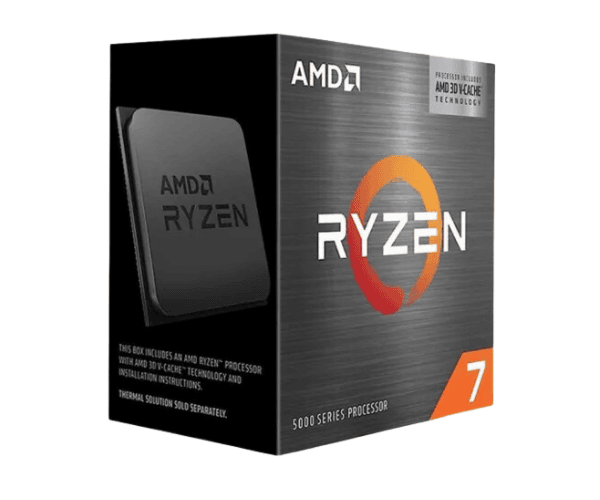
Overview of AMD Ryzen 7 5800X Processor
AMD Ryzen 7 5800X Processor-powered ultimate gaming, creation, and professional performance. Equipped with 8 cores and 16 threads to drive high speed, the base clock is 3.8 GHz and boosts up to 4.7 GHz. Besides advanced architecture, this chip has higher energy efficiency for handling multitasking with even the toughest workloads.
Specifications
| Specification |
Details |
| Brand |
AMD |
| Model |
Ryzen 7 5800X |
| Base Frequency |
3.8 GHz |
| Maximum Turbo Frequency |
Up to 4.7 GHz |
| L1 Cache |
384 KB |
| L2 Cache |
4 MB |
| L3 Cache |
32 MB |
| Cores |
8 Cores |
| Threads |
16 Threads |
| Default TDP |
105W |
| Supported Technologies |
AMD StoreMI, AMD Zen 3 Core, Ryzen Master Utility, VR-Ready |
| Maximum Memory Size |
128 GB |
| Maximum Memory Speed |
DDR4-3200 |
| Memory Type |
DDR4 |
| Max Number of Memory Channels |
2 |
| Processor Graphics |
N/A (No Integrated Graphics) |
| Socket Type |
AM4 |
Description
AMD Ryzen 7 5800X Processor Availability in Bangladesh
AMD Ryzen 7 5800X Processor is now available in Bangladesh. The product is available at various shops and online stores in Bangladesh. You can get it from popular e-commerce websites at a competitive price with fast delivery. Whether upgrading from your current rig or making a whole new build, the Ryzen 7 5800X Processor is the best choice for high-performance applications.
User Experience of the AMD Ryzen 7 5800X Processor
The
AMD Ryzen 7 5800X Processor has been a very consistent performer; it has left its users in awe with its performance. Be it gaming, video editing, or any other resource-intensive application, this processor is a dream to work with for seamless multitasking and speed. This means that the 8-core and 16-thread configuration will enable users to have even faster render times and smoother gameplay. A high turbo frequency of up to 4.7 GHz gives assurance of quick responsiveness with work on resource-intensive tasks. Many users love how efficiently this processor consumes power, thus they can push it harder without overheating or drawing too much power.
Why the AMD Ryzen 7 5800X Processor?
The
Ryzen 7 5800X Processor is a great value for both gaming and content creation. Featuring 8 cores and 16 threads, it will definitely handle multitasking and heavy applications with ease. For fast performance in gaming and rendering, it boasts a turbo boost of up to 4.7 GHz. The 105W TDP strikes a balance between performance and energy efficiency. Powered by the AMD Zen 3 architecture, it supports the latest DDR4 memory technologies and is future-proof with an AM4 socket for forthcoming software and hardware developments.
Key Specifications
- Ryzen 7 5800X Processor: Empowered to provide breakthrough performance and power efficiency from the latest Zen 3 architecture.
- 8 Cores and 16 Threads: Handle the heaviest multitasking, gaming, and heavy applications like video editing and 3D rendering.
- Up to 4.7 GHz Turbo Boost: Fast processing to deliver speed for applications needing maximum performance.
- Power Efficiency: 105W TDP balances power consumption with high-end performance.
- Advanced Compatibility: DDR4 memory up to 3200MHz and supports AM4 motherboard, which will make upgrading much easier.
- No Integrated Graphics: This model does not support integrated graphics. For rendering video or playing games, it needs a discrete GPU.
- Thus, this processor is ideal for high-performance systems.
How to Install the AMD Ryzen 7 5800X Processor
- Prepare Your System: Switch off your PC and unplug it from the wall. Prepare necessary tools, thermal paste, and clean your workspace.
- Removal of the Old Processor: First, removing the new processor over the older one involves lifting the retention lever at the CPU socket upwards, then takes out the old CPU gently from the socket. Further, clean up the area in the socket.
- Installing a New Processor: Firmly press the Ryzen 7 5800X Processor onto the socket while aligning it with the CPU Socket.
- Apply Thermal Paste: Apply a thin layer of thermal paste on top of the processor, if needed.
- Lock the Processor: Move the lever downwards to lock the processor into the socket.
- Install the Cooler: Fasten your cooler onto the processor and lock all the fittings.
- Reconnect the System: Connect everything to your PC and ensure all the connections are tightly screwed before powering the system on.
- Power On the System: Turn the power supply on, access the BIOS setup-check if it detects the processor-then apply any changes as intended.
- Install Drivers: If necessary, install drivers that are required for your processor to work optimally.
Why Buy From Crystal Vision Solution?
Crystal Vision Solution offers the
AMD Ryzen 7 5800X Processor at competitive prices with excellent customer service and expert support. We ensure timely delivery, secure payments, and hassle-free returns, making it easy to purchase with confidence from a trusted supplier for your PC build.
What is the Price of the AMD Ryzen 7 5800X Processor in Bangladesh?
The latest price of
AMD Ryzen 7 5800X Processor in Bangladesh depends on quantity.
Crystal Vision Solution ensures this processor has the best market price in Bangladesh. Our product is 100% original and lowest price in Bangladesh. All kinds of services are the best in Bangladesh, and contact us for any information and latest price.